
Wings GST
Wings GST
Wings does the most complete compliance with GST regulations.


Overview
Wings takes care of the following processes to help you comply with GST easily:
Wings works with most barcode scanners. Scan barcodes of products, employees, fixed assets, identification etc for any purpose.
- GST compliant invoicing
- GST compliant classification of products, customers and suppliers, and Masters
- Reverse Charge Mechanism
- Export - related transactions
- Month - end transactions
- Off-Line Filing of GST Returns
- Automatic and seamless interfacing with GST portal for upload and download of data
- Automatic matching of invoices and exceptions
- Complete E-Way bills management
- Complete e-invoicing
Masters
Special masters created for GST help better compliance and generation of data for filing returns.
- Registration Types: Registered, Composition, Unregistered
- Assesse types: Registered, Composition, Unregistered, SEZ, SEZ Developer, Deemed Exports, Exempted, UIN
- GST compliant classification of products, customers and suppliers, and Masters
- HSN and SAC
- GSTIN/UIN , including online validation.
- Shipping Address
- Consignor
- Ecommerce Operator
- GST Slab wise rates for Apparel and Footwear industry.
- Not required to remember either intrastate or interstate or registered dealer or Unregistered, based on recipient state and registration type Wings will calculate GST automatically either CGST, SGST or IGST.
- For inward transactions we can edit the GST Assessable value for accurate calculation for as per our supplier invoice. This is very useful feature for when we invoice matching with portal
- Complete e-invoicing
Wings GST Filer is works with all Wings products. It integrates with each and enables generation of required data for GST returns.
GST Filer does automated invoice matching (between Wings data and suppliers’ data from GSTR 2) and gives you exceptions to work on.
GSTR 1
This is a monthly return it should be filed by every registered dealer. It contains details of all outward supplies i.e. sales. Taxpayer’s annual turnover of more than Rs 1.5 crore must file monthly return.
GSTR 2
This is contains details of all the purchases transactions of a registered dealer for a month. It will also include purchases on reverse charge also.
GST reconciliation primarily involves matching the data uploaded by the suppliers with those of the recipient’s purchase data. This basically includes comparing the GSTR-2A auto-populated from suppliers’ data and the purchase data recorded by the receiver of the supplies. This matching concept also ensures that all the transactions which took place in a particular period.
GSTR 3B
GSTR 3B is a simple return form introduced by the Government. A separate GSTR 3B form has to be filed for each GSTIN. GSTR 3B form does not require invoice level information. It only requires total values for each field, like a summary. Filing GSTR 3B is mandatory for who have registered under Goods and Services Tax
GST Filer helps you manage compliance by connecting with the GSTN portal seamlessly.
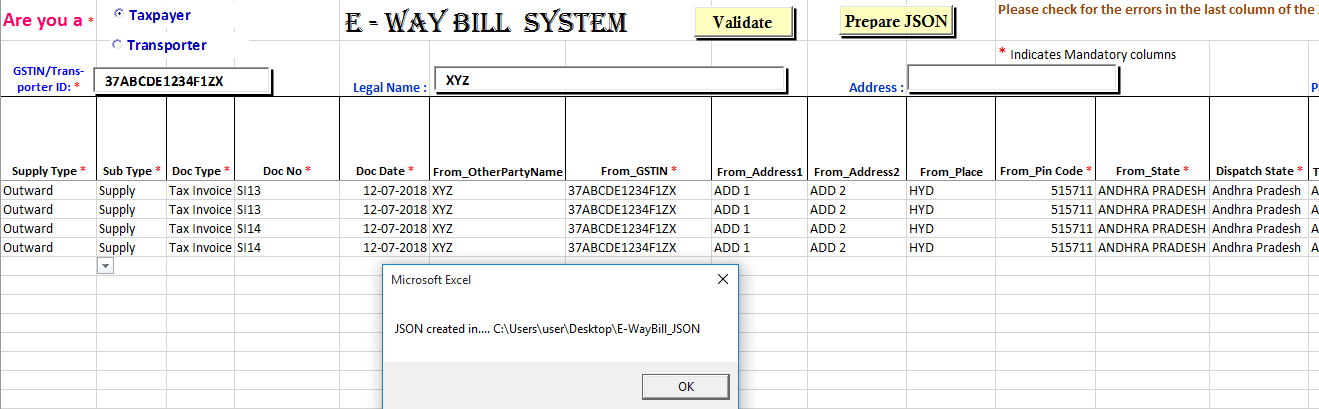
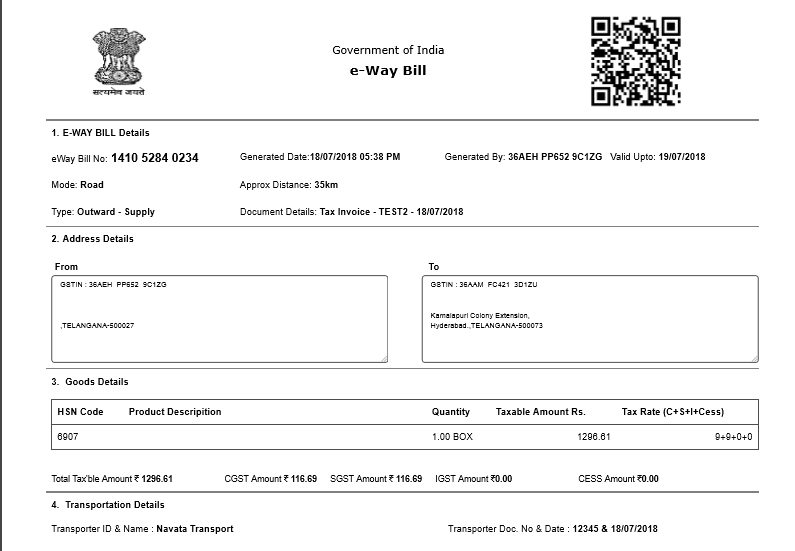
The process of e-way bills management is shown below.
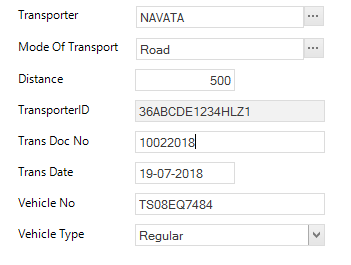
Generate details
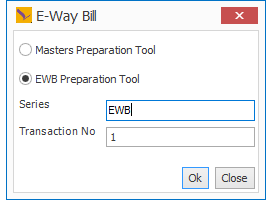
Prepare the JSON file once the you validate the data of Invoice, Transporter, GSTN, State details etc.
Login to the portal validate your login credentials, and upload as per the directions on the Web Portal.
Once you have entered the E-Way Billdetails correctly you will be able to take a print out of the E- Way Bill as shown in the image.
Enter the Company’s GST details
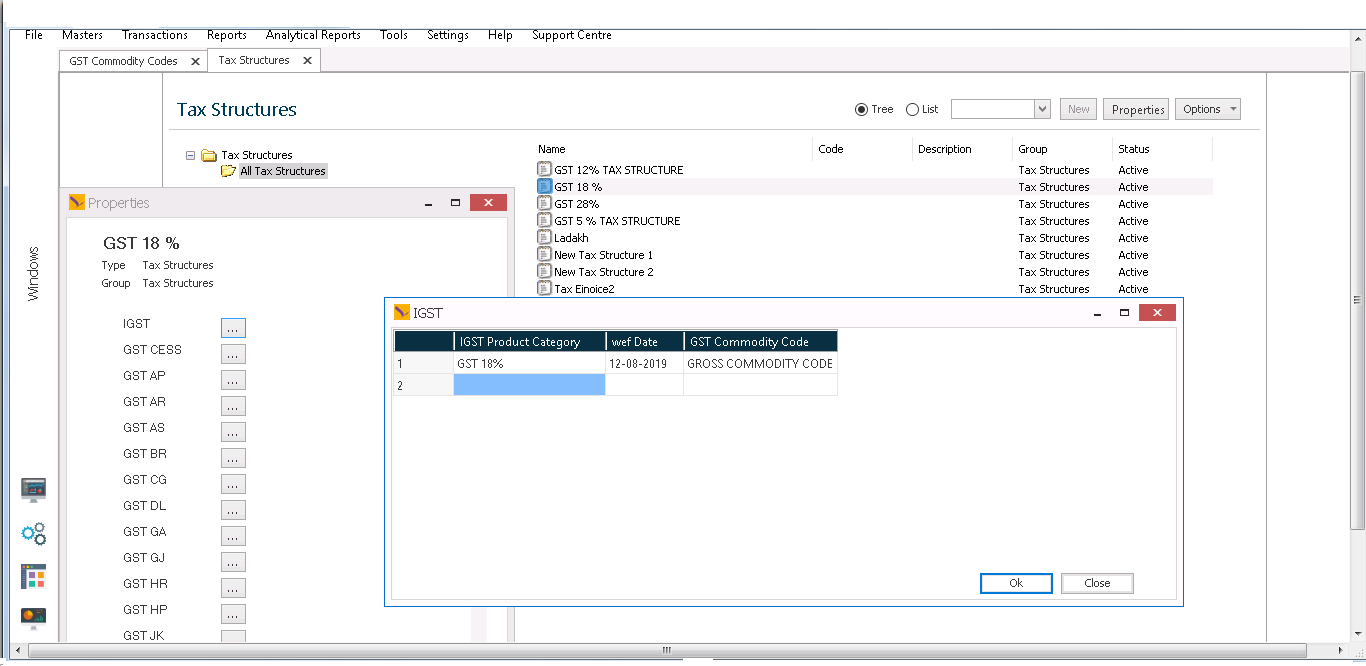
GST Commodity rates, State wise.
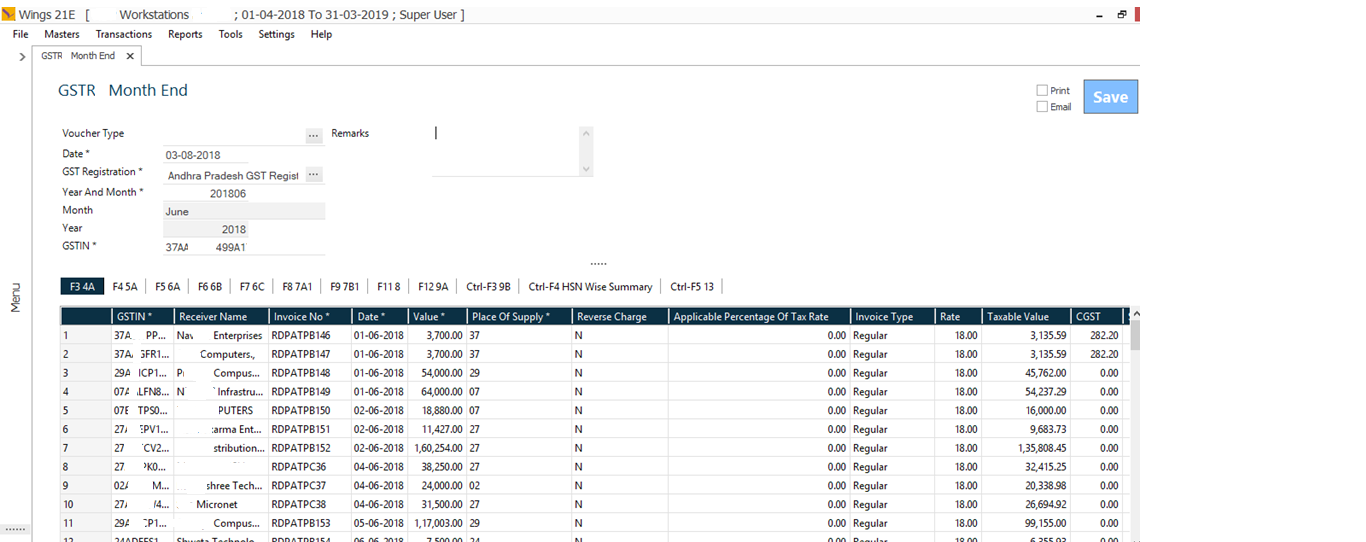
Capture the GST details in the transaction
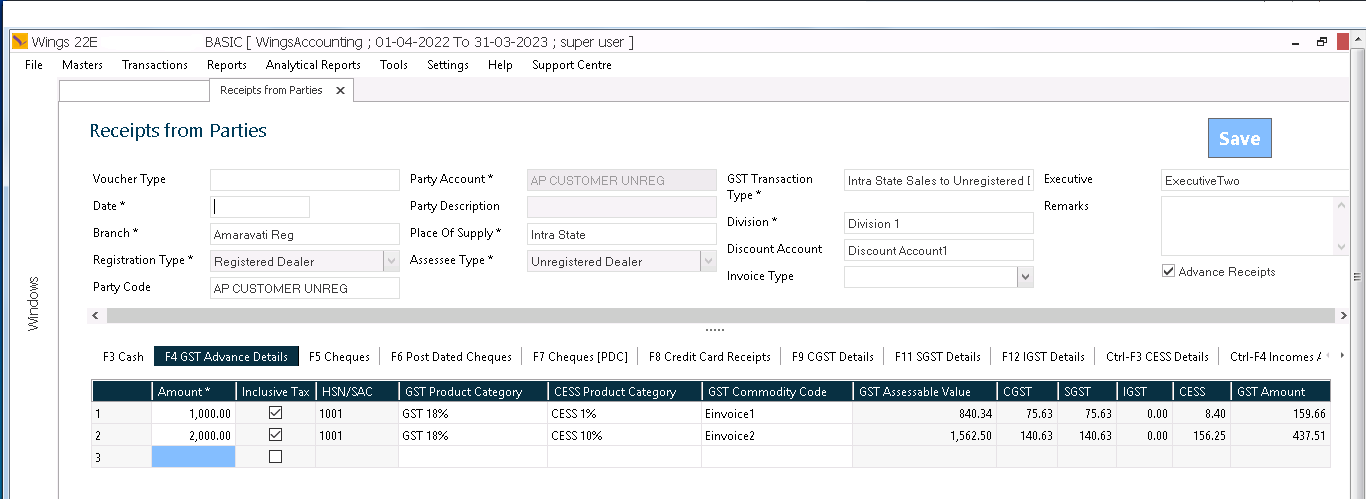
Capture the details
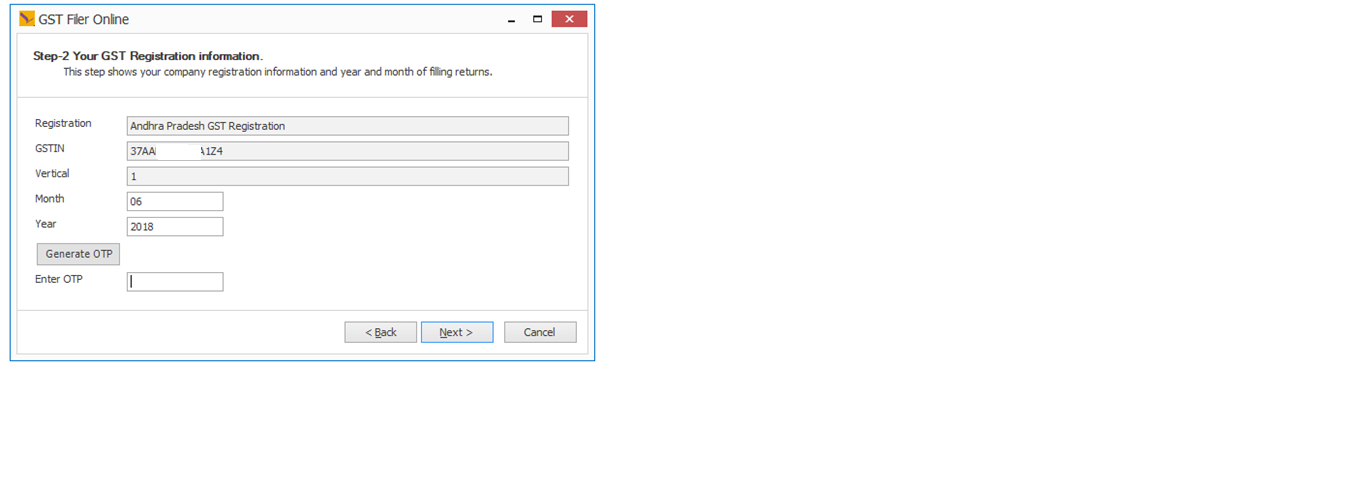
File the GST online with your registered mobile to get the OTP and process the data.
Connect and use your biometric devices with Wings. For example, you may use your biometric attendance machine to import employee attendance details etc.
Wings automatically processes and displays the item weight in transactions.
Ready to Transform Your Business?
Experience the power of Wings ERP Classic with a personalized demo