
- Products
-
Wings ERP ClassicFor Trading, Manufacturing & Services
-
Wings ERP FMCGFor FMCG & Packaged Goods
-
Wings ERP Retail A&FApparel & Footwear Retail
-
Wings ERP AutoFor Dealers Of 2, 3 & 4 Wheelers
-
Wings ERP EAElectronics & Appliances
-
Wings BooksDesktop Accounting & Inventory Software
-
Wings TradeTrading & Distribution Management
-
Wings ERP PayrollComplete Payroll Management
-
Wings ERP Fixed AssetsFixed Assets Management
-
Wings Data CloudCloud Data Management & Analytics
Small Business
-
- Platform
-
Web-based Multi-BranchMulti-location business management
-
Document ManagerCentralized document storage
-
AuthorisationRole-based access control
-
AlertsSmart notification system
-
SMS & EmailingCommunication management
-
Business IntelligenceAdvanced analytics dashboard
-
Reports DesignerCustom report builder
-
Audit TrailComplete activity tracking
-
Templates GalleryPre-built templates
-
Multi-CurrencyGlobal currency support
-
GST ComplianceTax compliance automation
-
Scheduled ReportsAutomated report delivery
-
Forms DesignerCustom form builder
-
DevicesMulti-device compatibility
-
Role-based User RightsGranular permission control
-
- Clients
- Partners
- Blog
- About Us
Authorisation
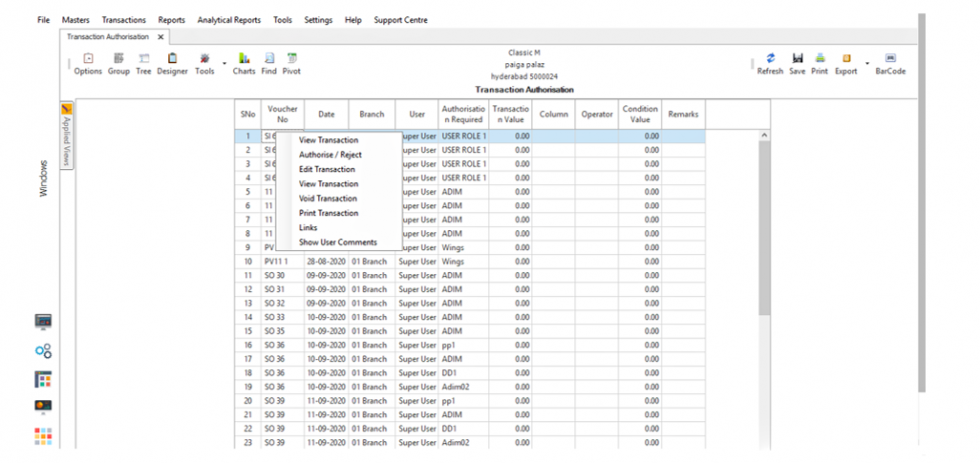
Wings helps you set up an authorization process for transactions. For example, you may want an expense to be authorised by a senior; or a leave application to be authorized by a manager.


Authorisation
Once you have setup Transaction Authorisation, every time the transaction is executed, it will require an online approval by the person required to authorise before being posted.
Authorisations can be simple, or based on fulfilment of specified criteria, etc.
You can always View, Edit the transaction before you go ahead with approval.
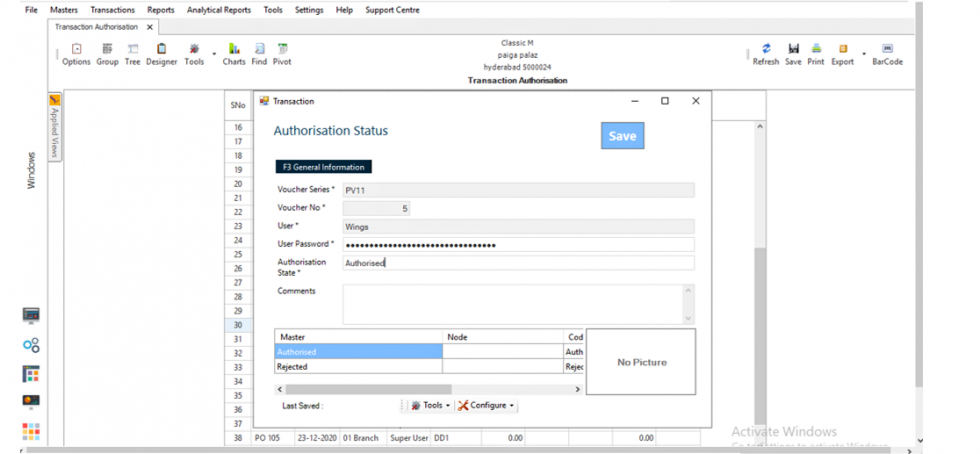
You can either Reject or Authorize the Transaction based on criteria set by you. A specific report also can be generated for all the Approvals and Rejections with remarks/reasons.
OTP Based Approval
If you are not available on a laptop and need to approve a specific criteria-based transaction, you can use the OTP facility to approve the transaction.
Mobile Notifications
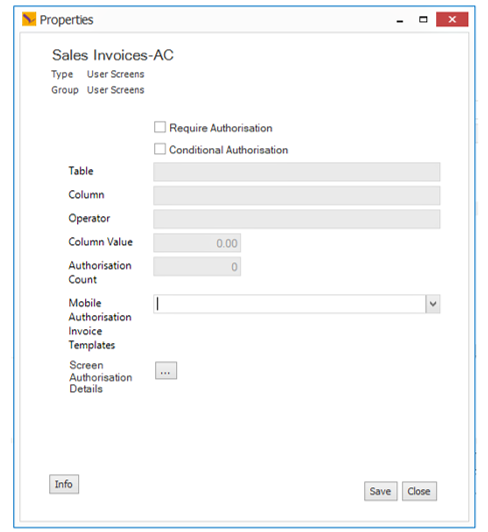
Following is a configuration to set up Mobile Notifications. You can also choose which transactions you want the mobile approvals to be assigned to.
Ready to Transform Your Business?
Experience the power of Wings ERP Classic with a personalized demo